Getting "Connection failed" Error on ODBC DSN Creation
Why Am I Getting Errors When Creating a New ODBC DSN?
✍: Guest
 Continue from the previous tutorial. After clicking Next
on the SQL login information screen, ODBC manager will try to connect
to the SQL Server with the login information you provided.
Continue from the previous tutorial. After clicking Next
on the SQL login information screen, ODBC manager will try to connect
to the SQL Server with the login information you provided.
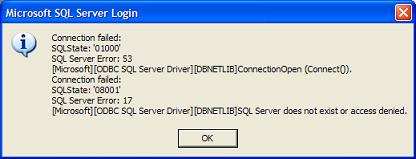
After a period of waiting time, you may get error message box saying that:
Connection failed:
SQLState: '01000'
SQL Server Error: 53
[Microsoft][ODBC SQL Server Driver][DBNETLIB]
   ConnectionOpen(Connect()).

Connection failed:
SQLState: '08001'
SQL Server Error: 17
[Microsoft][ODBC SQL Server Driver][DBNETLIB]
   SQL Server does not exist or access denied.
Three possible reasons for the failing:
- Wrong server name - You provided an incorrect server name.
- SQL Server not configured to take a network connection - You need to check the SQL Server configuration.
- Wrong login name or password - You provided incorrect login name or password.
The first and third reasons are easy to validate and correct. The second reason requires further investigation. Continue with the next tutorial to configure your SQL Server to take a network connection.
⇒ Requirements on SQL Server Network Connections
⇐ Providing Login Information for a New ODBC DSN
2024-08-06, 2643🔥, 0💬
Related Topics:
